
Rules
Part of Sales enablement assets: owners, gates and expiry dates
A sales enablement checklist anchored to every release gate
A release gate checklist for sales enablement, with pass, fail, exception and evidence fields tied to each launch stage and kept with the released version.
Step 1: Reconstruct Case 175 at the point of use
Case 175 is already in market, so the reviewer reconstructs how its seller materials reached release rather than treating it as a live launch plan. The case boundary is this release only. The decision is whether every sales claim and readiness item can be traced to an approved source.
At intake, the reviewer records the release identifier and date, enablement owner, intended audience, expected outcome, and evidence that would have stopped release. Enablement owns the kit and training; product marketing owns the claims and their approval. Naming those roles first gives the reconstruction a clear scope and makes later corrections assignable.
Step 2: Follow the release path and inspect its evidence
The reviewer follows Case 175 from positioning lock through the sales kit, seller training, pilot or launch, and post-launch review. At each gate, the question is whether a claim, asset, or readiness decision has an owner and inspectable evidence, not whether the file simply contains a completed checklist.
The approved claim list and proof file come from the positioning checklist. The reviewer separates approved positioning from the wording sellers used in materials, using the positioning and messaging distinction to keep those checks separate. The reviewer then compares approval records with the actual Case 175 assets.
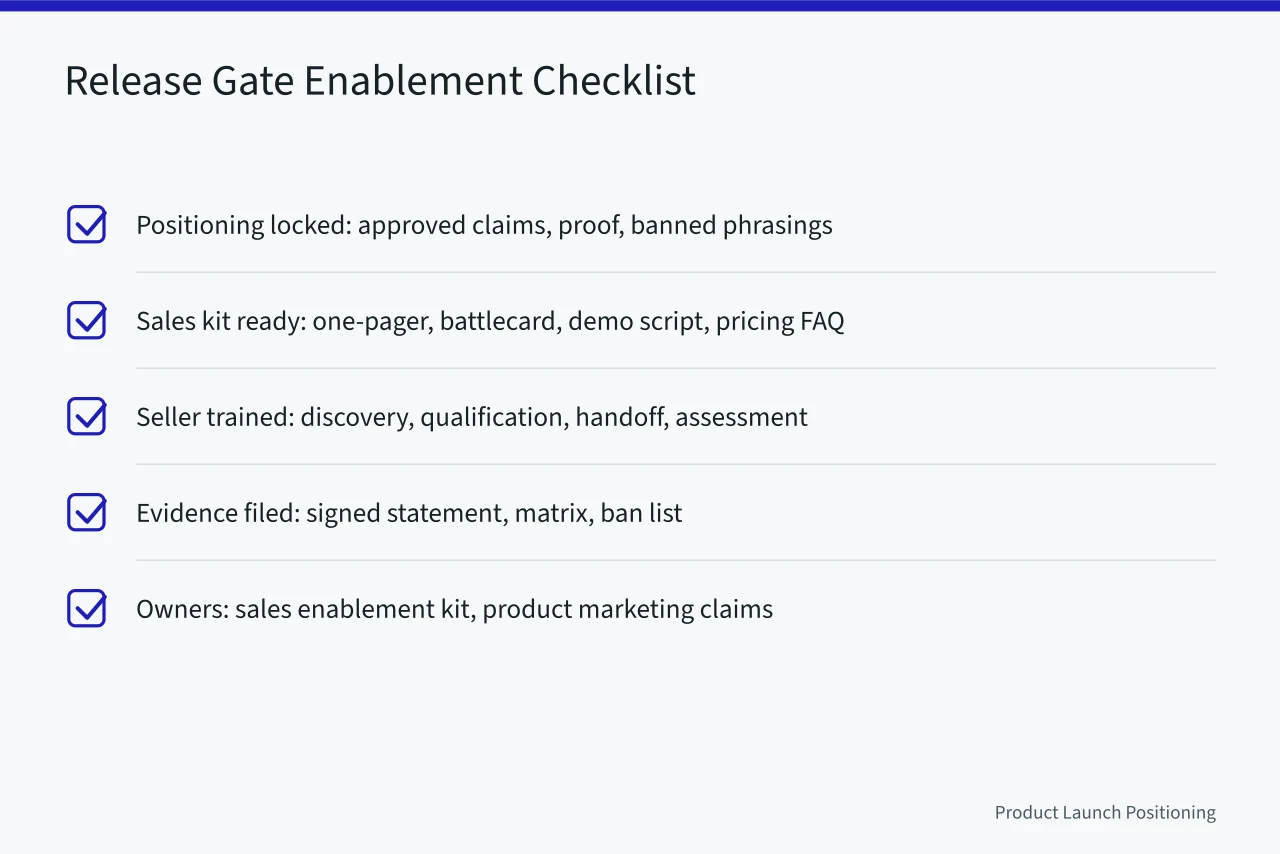
| Release point | What the reviewer checked in Case 175 | What the file needed to show |
|---|---|---|
| Positioning locked | Approved claims, proof for each claim, and a ban list covering unapproved guaranteed and free wording. | Signed positioning statement, claim-to-proof matrix, dated ban list. |
| Sales kit ready | Release number, review date, competitor and objection fields, demo steps and environment, price, discount and renewal terms, and approved objection responses. | Version, owner, review date, asset links. |
| Seller trained | Discovery questions, qualification criteria already used by the team, lead routing, CRM stage, service level agreement, assessment pass score, and retake rule. | Attendance, assessment result, handoff diagram. |
| Pilot or launch | Support path, escalation levels and response time, refund or return terms, privacy check, user permissions, license provisioning, load limits, and failover plan. | Test result, named support owner, privacy sign-off, access log, capacity result. |
| Post-launch review | Win and loss notes, asset use by opportunity, corrections, and a dated decision to continue, pause, or retire a claim. | Decision record, usage report, correction log. |
The reviewer compares the marketing materials against their cleared claims with the marketing release checklist, then checks that approved wording reached seller-facing material using the messaging release record. Together, the records connect claims to proof, assets to owners and versions, and readiness decisions to named support and test evidence.
Step 3: Separate missing records from failed content
The reconstruction finds two gaps in Case 175: the pricing FAQ has no reviewer, and the battlecard has no version number. These are record-control omissions. The file does not establish that either asset contains incorrect information, so the reviewer records the gaps without labelling the content itself a failure.
For every checklist row, the reviewer records pass, fail, exception, or evidence. Pass means the acceptance test was met; fail means it was not. An exception is risk acceptance in writing by a named person. Evidence identifies an artifact that an unfamiliar reviewer can inspect to understand the decision and its basis.
Pass, fail, exception, evidence
Field
- Pass
- Met test
- Fail
- Did not meet
- Exception
- Risk accepted
- Evidence
- Openable artifact
Rule
- Pass
- Owner initials
- Fail
- Owner initials
- Exception
- Named lead
- Evidence
- Owner uploads
Who signs
- Pass
- Checklist line
- Fail
- Line + fix owner
- Exception
- Exception memo
- Evidence
- Release record
Where filed
- Pass
- Fail
- Exception
- Evidence
For the two missing fields, the checklist owner assigns a correction owner and due date; the known gaps do not, by themselves, require either asset to be rewritten. The go-to-market gate record keeps an unexplained blank visible. Until the owner and due date are recorded, the relevant gate stays open rather than treating silence as approval.
Step 4: Correct the file and retest only what changed
The reviewer treats the two omissions as record corrections, then checks whether any claim, price, demo flow, or support path changed after approval.
A change triggers a test of that item and the assets that depend on it. It does not automatically reopen unrelated approvals or every file in the release record.
If a claim changed, the battlecard, one-pager, and demo script become dependent materials. The reviewer compares each against the new approval and leaves unrelated approvals untouched. The pre-launch test helps define the intended measure before release; it does not replace testing again after a change.
Retesting changed items
- Claim, price, demo, or support path changes
- Retest changed item and all dependents
- Do not carry earlier approval forward
- Changed claim invalidates battlecard, one-pager, demo script
For Case 175, the approved claims, checklist, and dated decision record stay beside the released build. This lets a later reviewer establish what was approved and when, including whether sellers still use a claim that has since been retired. The review date remains with the relevant file, alongside the evidence and the decision it supports.
The operational record also names data fields, retention period, and consent language for the privacy check, plus user permissions and license provisioning for access. Capacity evidence shows the load estimate, limits, and failover plan; the support record names its owner, channel, hours, escalation severity, response time, and applicable refund or return terms. The PIPEDA text is a reference for the privacy check.
A mandatory claim, privacy, access, or capacity failure keeps the gate closed. If a check passes, its evidence and review date remain attached to the record. If it does not pass, the decision stays visible for correction rather than being obscured by an overall release status or by unrelated approvals that remain valid.
Rules to carry into the next release
Set the review boundary first: identify the release, owner, audience, intended outcome, and evidence that would have stopped it.
Keep unexplained blanks visible, assign corrections to a named owner with a due date, and reopen an item only when it or a dependent material has changed. Preserve the evidence and dated decision together.
After release, connect win and loss notes to outcomes, reasons, and sources; record asset use by opportunity and each correction with its owner and fix date. End with a dated decision to continue, pause, or retire a claim. Downloads alone do not establish seller or buyer outcomes, so compare content use with opportunity quality and cost, including exclusions, source limits, and failures.